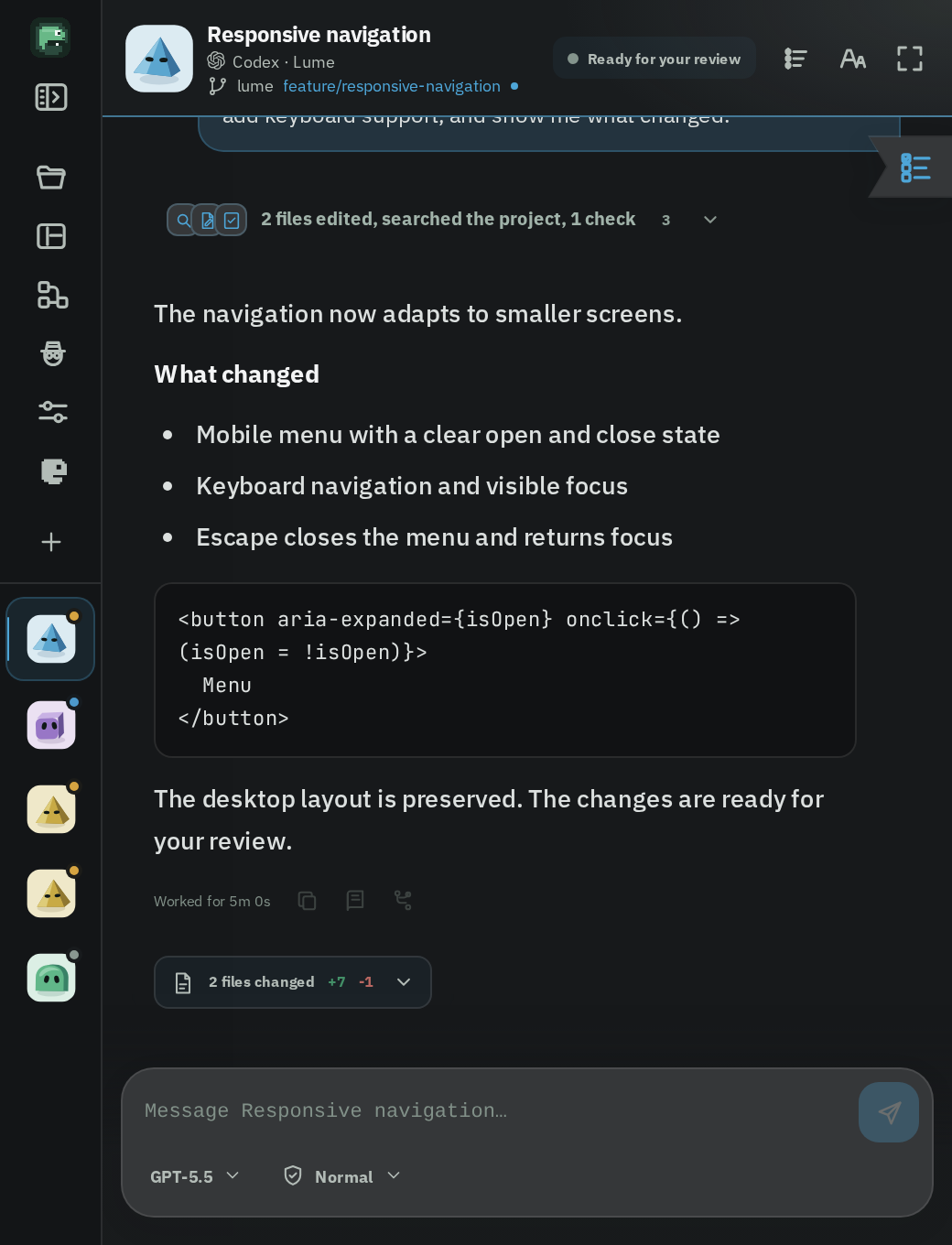
One monitor for every agent, as a discreet Orb or a full Workspace. The details, in one place.
Two ways to work. The same Lume.
Orb
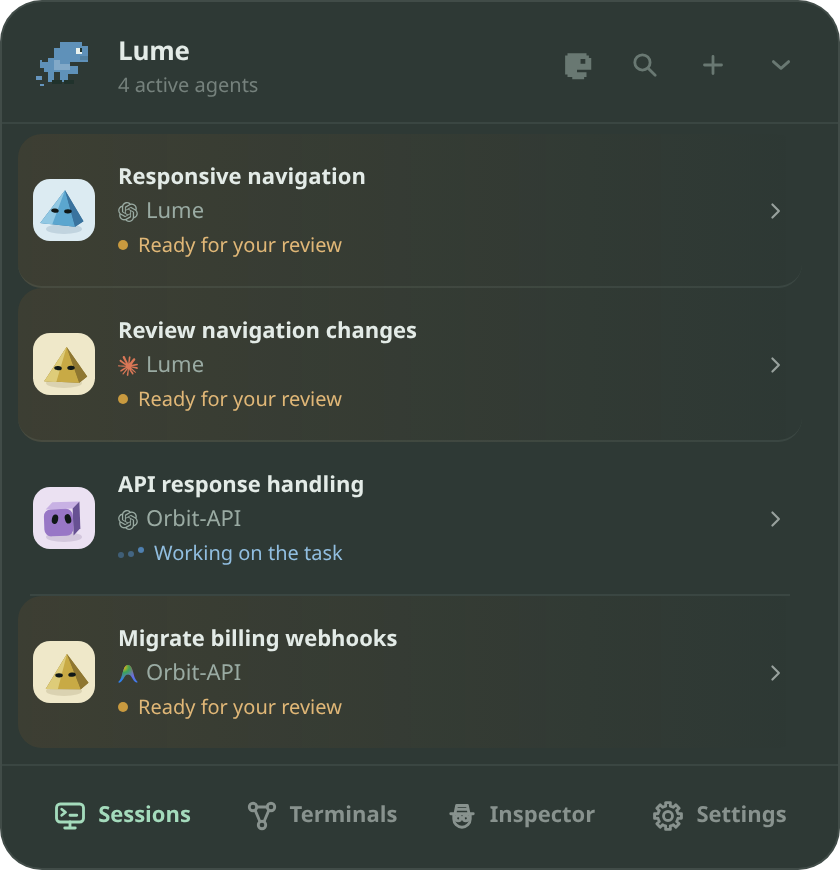
A small capsule that stays in the corner. Open it to see what needs you, give each conversation its own floating terminal, dock them together and save the layout.
Workspace
One focused window: up to three conversations side by side, an inspector with the session’s context and repository, a review center and the Workflow board.
Choose a layout, keep your capabilities. Everything below belongs to both, with the controls each agent supports.
What you can do.
Stay aware
Live status, elapsed time, TO DO and GOAL progress, rate limits, and the moments that need your attention.
Approve with context
See what an agent wants to do, then allow or deny it from Lume — only the actions its integration really supports.
Keep talking
Continue any conversation, queue a prompt, steer a running turn, and attach images, with the delivery options each agent supports.
Choose the model
Pick the model and reasoning effort for each conversation, separately from the others.
Review what changed
Read final responses, changed files and diffs, validation results, and persistent Notes for long-running plans.
Move work forward
Connect steps through workflows with clear handoffs, approvals, and a history you can trust.
Agents
Every agent you already use, in one place.
Lume does not replace your agents. It watches the sessions you already have open, or starts new ones for you, and shows them the same way whichever tool they come from.
Codex, Claude Code and Antigravity get the deepest integration: live status, approvals answered from Lume, conversations you can continue, model and reasoning choices, and context from the session.
OpenCode, DeepSeek and Gemini are supported as far as each tool allows: status and activity, and prompts where the tool accepts them. Lume never shows a button an integration cannot honor.
Terminal, VS Code and browser sessions are detected too, including the Codex and Claude extensions for VS Code and web chats through a local Chromium extension.
Five clear states for every session: running, waiting for your decision, waiting for your answer, completed and failed, so you know at a glance what needs you.
Open or resume a session in your usual terminal or editor without leaving Lume.
Orb
A small presence that stays out of the way.
The Orb is a capsule that lives at the edge of your screen. Collapsed, it only tells you whether something needs attention. Expanded, it lists every agent, session, project and state.
Docks where you put it. Drag it to any edge or corner of any monitor and it reshapes itself; it stays out of the way of videos and games in fullscreen unless you ask otherwise.
One floating terminal per conversation. Open each session in its own mini terminal, snap nearby windows together, move them as a group and save the arrangement as a named layout to restore later.
A command palette on a global shortcut to jump between screens, sessions and actions, plus a tray icon to show, hide or quit.
Notifications and sounds when a task finishes, fails, asks for permission or when an account is about to hit its usage limit. Each one has its own subtle sound, adjustable or off.
Per-project profiles remember the destination, monitor, capsule position, permissions for new sessions, layout and preferred agents.
Workspace
A full window for focused work.
When you want to read and decide rather than glance, the Workspace gives each conversation room: up to three chats side by side, with everything about the session within reach.
Real conversations. Read the whole exchange with the agent’s thinking, tool calls and file changes grouped as they happen. Continue, queue a prompt, steer a running turn, attach images and pick the model and reasoning effort for that conversation alone.
The inspector shows the session’s status, plan, to-do list, subagents, recent prompts and token usage, and connects the chat to its local repository: branch, changed files, commits and GitHub activity.
Subagents at a glance. Each subagent appears as a small bubble under the header with its own live timeline, so a long delegation never hides what is happening.
Notes and bookmarks keep long-running plans and important answers one click away.
Built to be read. Chat text size, a centered reading column on wide screens, and search across your agents.
Review
Review what the agent did, then decide.
The review center turns a finished task into something you can actually check: the files, the lines and the results, with a verdict at the end.
A real diff. Syntax colors, the exact words that changed inside a line, unchanged stretches folded away, unified or side by side.
Work through the files. Mark each file as reviewed, see your progress and move between files with the keyboard.
Comment on a line. Your comments are sent back to the agent with the file, the line and the code, together with your request for changes.
Approve and advance. When the result belongs to a workflow step, approving it releases the handoff to the next agent.
Always a diff to read. When an agent does not report its changes, Lume reads them from the repository’s git state, and builds the diff from the agent’s own edits when it can.
Workflows
Hand the work from one agent to the next.
Give each agent a role, connect them on a board and let a task move through a pipeline you can watch and control: plan with one, implement with another, review with a third.
Roles with a contract. Planner, implementer, reviewer, tester, researcher or your own, each with an instruction, what it expects to receive and what it must deliver.
Handoffs you choose. Decide what travels between two steps (the response, changed files, checks, plan, activity, diffs), whether it moves on its own or waits for your approval.
A board that shows the work. Cards say what each agent is doing and how far its plan is, flag the ones that need you, and the pipes between them show the data moving.
Run, pause, retry, skip. Manual or automatic execution, local recovery after a restart, and a consolidated history for every step.
Limits & alerts
Never be surprised by a usage limit.
Lume keeps an eye on the limits of your agent accounts in the background, whether or not you have the inspector open.
Live gauges for the session and weekly windows of Codex and Claude Code, and the quota groups Antigravity reports.
A warning before it runs out. When a window drops to 20% left, or is used up, Lume shows a banner under the chat header with the time to reset, sends a desktop notification and plays its own sound.
Fast mode for Codex and for Claude Code’s compatible models, switchable per conversation.
Control
You stay in charge, and it stays on your machine.
Lume is local by default. Monitoring needs no account, no relay and no internet connection, and your sessions never leave your computer.
Permissions per conversation. Each chat keeps its own access mode and approval policy. Lume shows the actions that session really offers, not a generic set.
Private by design. The detail of a pending permission lives only in memory; afterwards the history keeps a sanitized summary, with no full command, payload, absolute path or secret.
Honest about limits. Where an integration can only observe, Lume shows the request and takes you to its source instead of pretending it can answer.
Free and open source, so you can read exactly what it does.
Make it yours
Looks and feels the way you want.
The appearance is yours to tune, in the Orb, the terminals and the Workspace alike.
Themes, accents and neutral surfaces chosen independently: pick a theme color, a neutral base such as graphite, and an accent, in light or dark.
Fonts for the interface and for code, with options bundled in the app or imported from your own files.
Saved layouts and shortcuts, a global command palette and external detectors you can add with a simple JSON manifest, with no restart.
English and Portuguese.
Beyond the desktop
Keep an eye on it from your phone.
The Lume mobile companion for Android and the web companion follow the same sessions and states, so a task that needs you can reach you away from the desk.
Mobile companion. See every agent, its state and its conversation. Workflows appear in monitoring mode, with the controls staying on the desktop.
Available on Windows, macOS (preview), Linux and Android. Install with one command or a download, and Lume updates itself.
Distributed access is in development: a Lume node on one computer will let you pair Lume from another, including from a different network.
 lume
lume